Delete pages from a PDF, free
Click × on the pages you want gone, move pages with the arrows, and download the cleaned-up PDF.
or drop it here
Less paperwork, more business
Free tools are on us. These OfferBuggy downloads pick up where this tool leaves off.
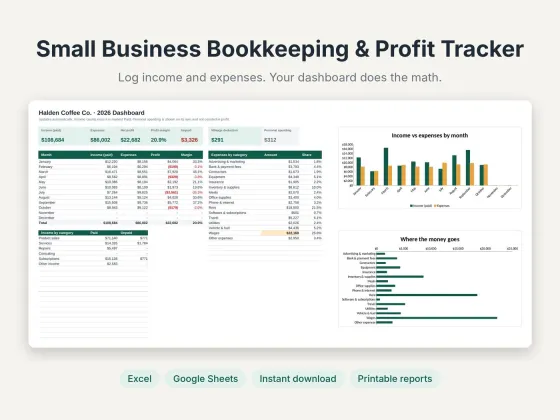 Small Business Bookkeeping & Profit TrackerTrack income, expenses and profit in one sheet.$11.69View
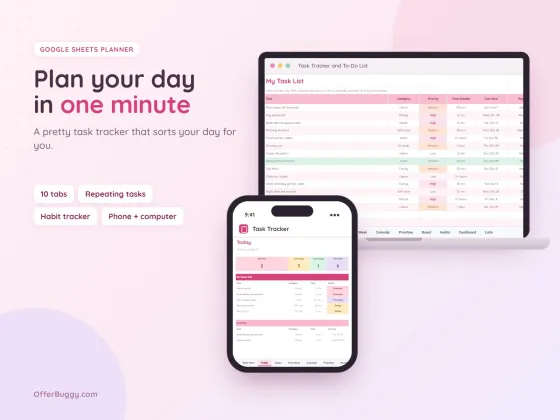 Task Tracker & To-Do List for Google SheetsKeep every job, deadline and follow-up in one place.$6.99View
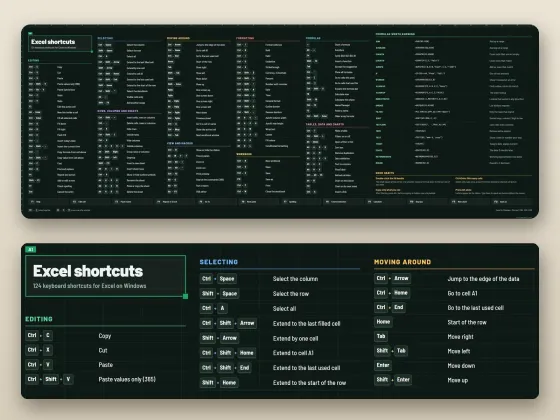 Excel Shortcuts Desk Mat + Cheat SheetThe shortcuts you need, right under your keyboard.$4.49View
Who uses it
Clean up scans that picked up empty backs of pages.
Take out pages with details you don’t want to share before sending.
Drop the appendix or cover before sharing a summary.
Move pages into the right order while you are at it.
What you get, free
- Thumbnails of every page
- Remove, restore and reorder pages
- Rotate pages too
- Original quality kept
- No watermark
- Nothing uploaded
How to delete PDF pages
- Choose your PDF.
- Press × on each page you want to delete. Press ↺ to bring one back.
- Use ← → to move pages if needed.
- Press Download PDF.
Removing private information
Deleting a page removes it from the new PDF completely. It is not hidden or covered, it is gone. Your original file is left untouched, so keep the edited copy for sharing.
Private by design
Your PDF is opened inside your own browser and never uploaded, so it is safe for contracts, IDs, medical forms and bank papers.
OfferBuggy vs Acrobat Pro
Tips for the best result
- Delete is undoable until you download: press ↺ on a removed page.
- Need a few pages as a separate file instead? Use Split PDF.
Questions
Is the deleted page really gone?
Yes. It is not in the new PDF at all. Your original file stays as it was.
Can I delete several pages at once?
Yes. Mark every page you want gone, then download once.
Is it safe for private documents?
Yes. The file is processed on your own device and is never sent to OfferBuggy or anyone else. Close the page and nothing is left behind.
Does it work on iPhone and Android?
Yes. It works in Safari and Chrome on phones and tablets, with no app to install.